
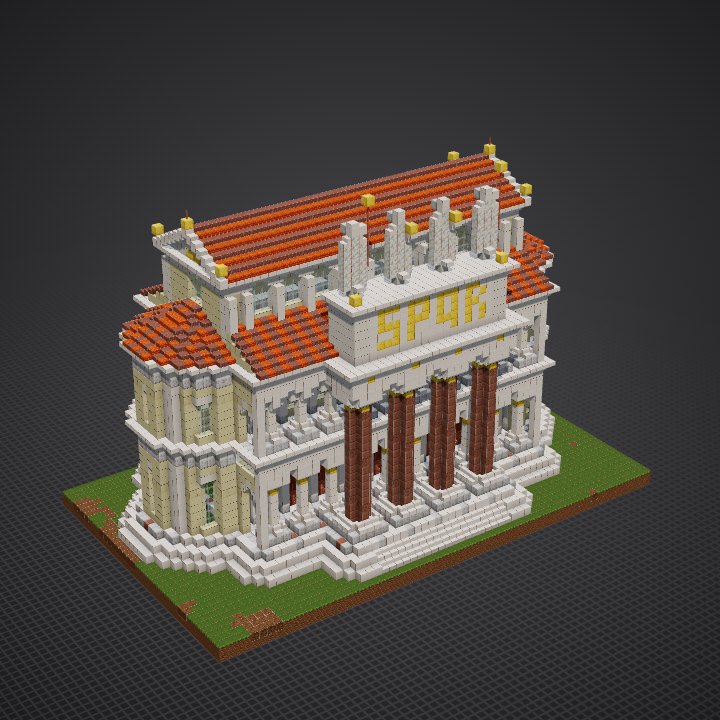
How to build the Roman Basilica in Minecraft
the palette · 19 steps · 5 techniques
The palette
White marble: smooth quartz for the steps, entablatures and pilasters, quartz bricks for the friezes and the attic, chiseled quartz for keystones and capitals, quartz pillars for the fluted shafts, smooth quartz stairs and slabs for bases, echinus, cornices and shoulders of the arches; polished diorite for plinths and the pavement grid, polished granite and granite for the colossal red columns and the floor's crossings; smooth and cut sandstone for the yellow marble walls; copper doors and copper bars for the bronze doors and fanlights, glass panes in the windows; resin brick slabs with rows of brick slabs for the terracotta roofs; gold blocks for capitals, letters and acroteria, calcite for the statues, lightning rods for their spears.
Techniques
- Two orders stacked
- Columns in front of walls
- Round arches
- Low roofs of half blocks
- A colossal order
The steps
- Marble steps round the hall
- Pavement of the porticoes
- Lower colonnades: bases and shafts
- Lower colonnades: Corinthian capitals
- Aisle walls and their bronze doors
- Apses: the lower storey
- First entablature and the gallery floor
- Upper colonnades: Ionic columns
- Gallery walls and windows
- Apses: the upper storey
- Second entablature
- End walls of the porticoes
- Entrance: four colossal granite columns
- Entrance: entablature and attic
- Aisle roofs: terracotta lean-tos
- Clerestory walls and their arched windows
- Nave roof and its two pediments
- Apse roofs: half cones of tiles
- Statues on the attic and gilded acroteria
How each technique is done and every step explained, in 3D: Learn (members).