
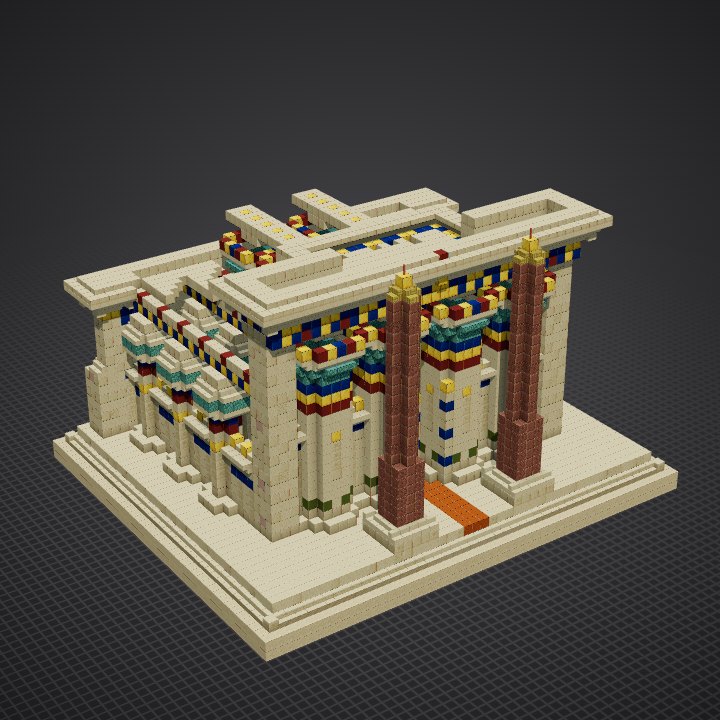
How to build the Hypostyle Temple in Minecraft
the palette · 19 steps · 5 techniques
The palette
Sandstone in several finishes: smooth sandstone for shafts, walls and roofs, cut sandstone for courses, bases, abaci and architraves, plain sandstone and a little white terracotta to vary the masonry, chiseled sandstone for cartouches, figures and hieroglyph columns, smooth sandstone stairs and slabs for flares, cavettos and the platform edge; lapis, gold and red terracotta for the painted bands, the torus and the cornice leaves; prismarine, prismarine stairs and lime terracotta for the green papyrus capitals; cyan terracotta and polished blackstone bricks in the false door; sandstone walls for the clerestory grilles; smooth and cut red sandstone for the processional way; granite and polished granite for the obelisks, bamboo mosaic stairs and gold for their pyramidions.
Techniques
- Round columns
- Two kinds of capital
- A hall you can see into
- Cavetto cornice and torus
- Battered wall
The steps
- Platform and its front stair
- Pavement and the processional way
- Bases of the columns
- Aisle shafts and their painted bands
- Aisle capitals: closed papyrus buds
- Great shafts and their painted bands
- Great capitals: open papyrus
- Battered back wall and corner piers: the lower courses
- Battered back wall and corner piers: the reliefs
- The false door at the back
- Screen walls between the outer columns
- Painted architraves of the aisles
- Fallen roof: the last slabs over the aisles
- Nave architraves and the clerestory grilles
- Nave roof, fallen at the back
- The façade's architrave and the winged sun
- Cavetto cornice of the back wall
- Cavetto cornices of the façade and the nave
- Slender obelisks of red granite
How each technique is done and every step explained, in 3D: Learn (members).