
Explore / Colosseum
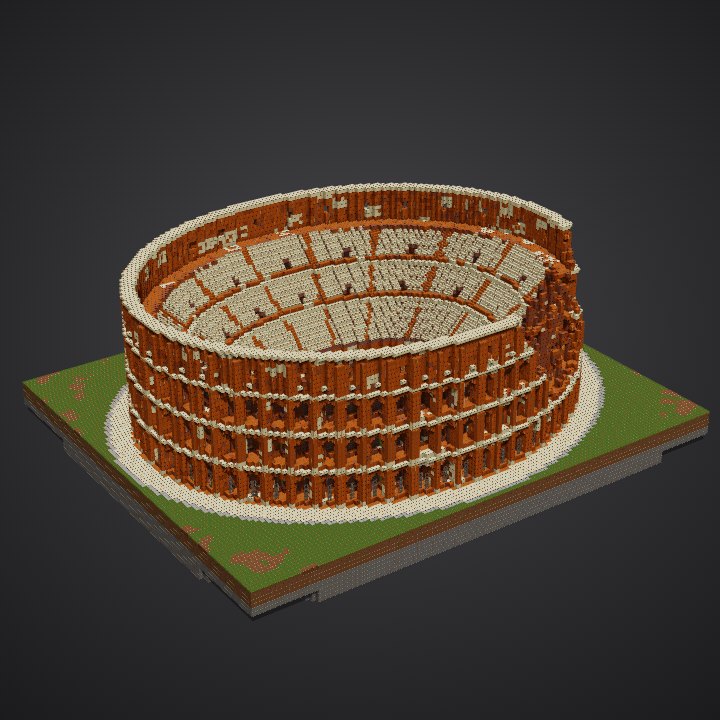
How to build the Colosseum in Minecraft
the palette · 28 steps · 6 techniques
The palette
A warm stone in many shades: cut, smooth and plain red sandstone on the facade, terracotta and bricks inside, light smooth sandstone for the cornices and seats. The many close shades look like old weathered stone; the light cornices draw a line round each storey.
Techniques
- Repeat one bay
- Drawing an oval
- Depth in the facade
- Many shades of one stone
- Storey by storey
- Stairs as seats
The steps
- Foundations
- Dig the hypogeum
- Hypogeum walls
- Podium
- Ground storey: outer arches
- Ground storey: columns
- Ground storey: cornice
- Ground storey: inner ring
- Ground storey: vaults and floor
- Seats: lower tiers
- Second storey: outer arches
- Second storey: columns
- Second storey: cornice
- Second storey: inner ring
- Second storey: vaults and floor
- Seats: middle tiers
- Third storey: outer arches
- Third storey: columns
- Third storey: cornice
- Third storey: inner ring
- Third storey: vaults and floor
- Seats: upper tiers
- Attic wall
- Attic pilasters and brackets
- Top cornice
- Grates
- Arena floor
- Plaza
How each technique is done and every step explained, in 3D: Learn (members).