
Placing the build
Where the hologram goes, and how to put it exactly where you want.
Where it appears
One block out of its front left corner from the projector, its best side towards where the armor stand looks, its ground level with the armor stand's feet, snapped to the blocks.
Turn and mirror
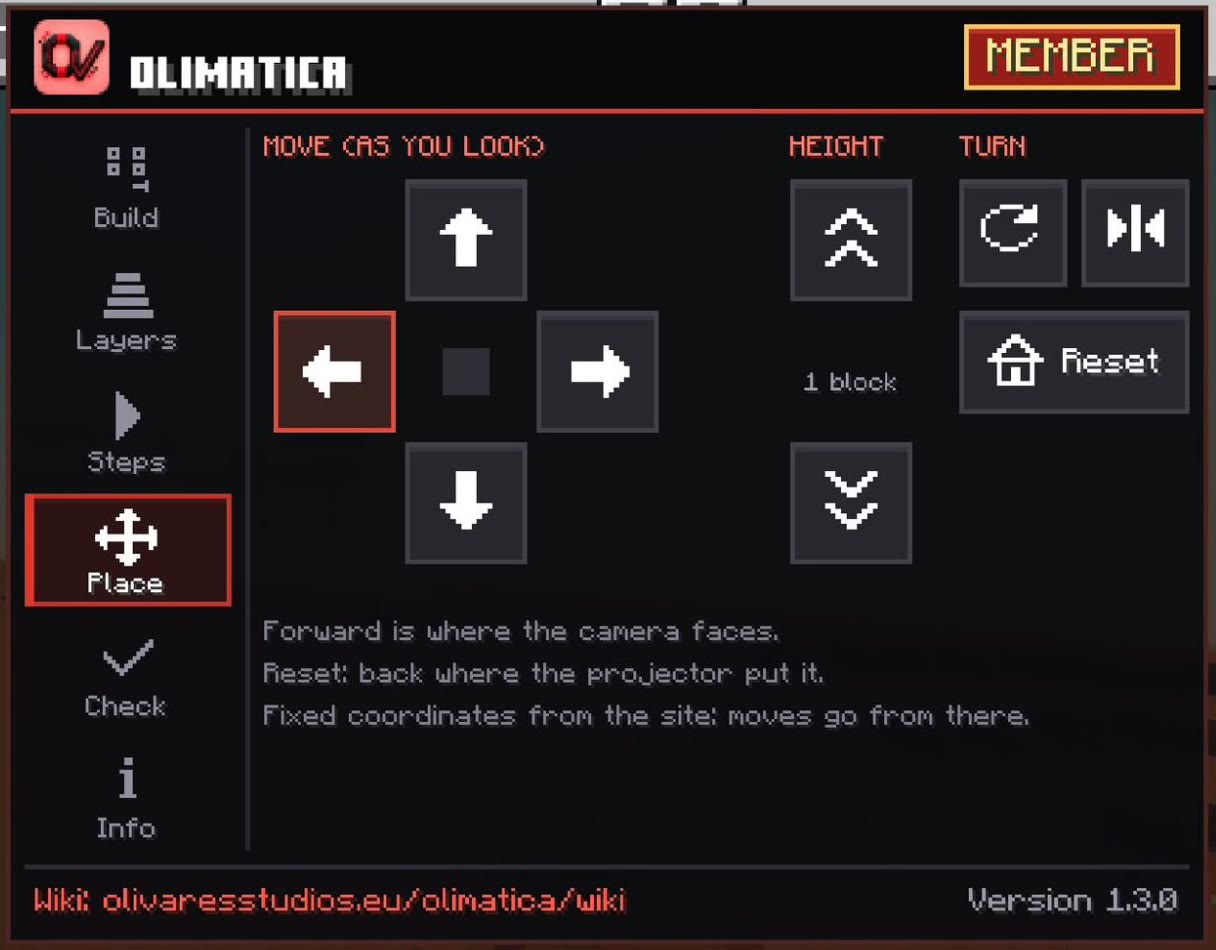
- Turn: a quarter turn round the middle of the build, at each press.
- Mirror: the mirror image, its left and right swapped.
Move it
- Move back, forward, left, right: one block at a time, as you look (forward: the way you face, north, east, south or west).
- Height: one block down or up, to bury the foundations or to build on a hill.
- Reset: back where the projector put it, the whole build, the first opacity, the checker off.
In the menu's Place tab, or on touch screens on the PLACE page of the bar at the top: there you watch the hologram move at each press.
TipTo fit a build to blocks you already placed: turn and move it until the ghost blocks hide inside your real ones.
Fixed coordinates
On the site, each build of your pack can get fixed coordinates (the ⌖ button of the build, in your pack): the block of its projector's corner, front left at its ground level (X Y Z, as Minecraft shows them), and the way its front looks: north, east, south or west.
The build then stays there, wherever its projector stands (a projector still has to be near). The moves of the menu go from there.